Brand Consistency Across Digital and Print: A Practical Guide
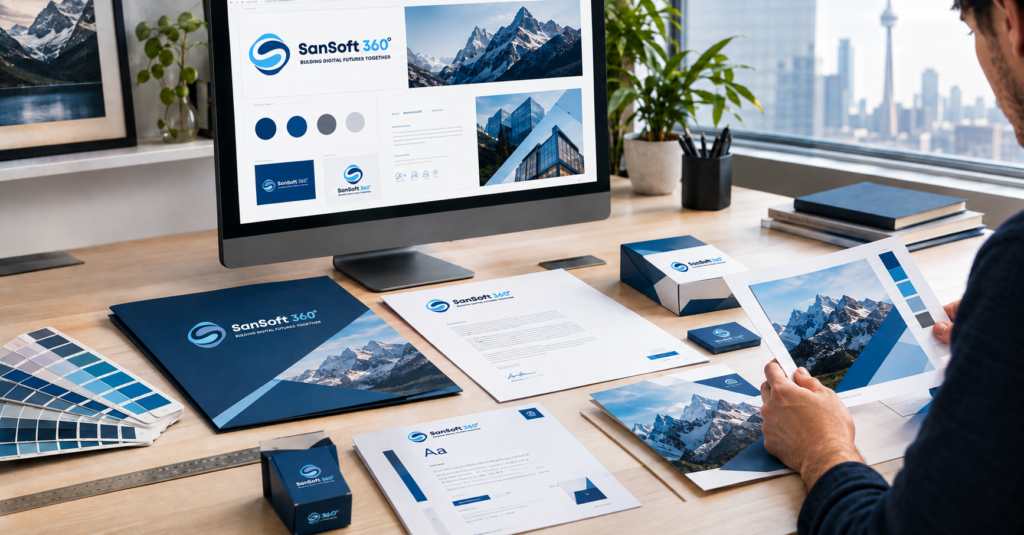
In this guide, we’ll walk through what brand consistency really means and which brand elements should stay locked in. You’ll also learn how to handle the tricky jump from screen colors to printed colors, and how to keep everyone who creates your materials on the same page. Along the way, you’ll find practical tips on style guides, templates, typography, and brand audits that you can start using right away.
What Does Brand Consistency Across Digital and Print Really Mean?
Brand consistency is the practice of presenting your business in a recognizable, unified way across every channel. That includes your website, social media, emails, ads, packaging, signage, and printed marketing materials.
The key word here is unified. You’re not trying to make everything look the same. You’re building one brand system that works in many places.
Brand Consistency Is More Than Using the Same Logo
Many businesses think they’re consistent because their logo appears on everything. The logo is important, but it’s only one piece of the puzzle!
Picture two businesses that use the exact same logo. One pairs it with random fonts, stock photos in clashing styles, and a different tagline on every flyer. The other pairs it with a steady color palette, a clear type system, and a voice customers recognize instantly. Only the second one feels like a real brand.
True consistency covers the entire experience: how your materials look, how your messages sound, and how your brand makes people feel.
Which Brand Elements Should Stay Consistent Across Every Channel?
Some elements are the backbone of your identity. These should stay steady no matter where your brand appears.
Logo, color palette, and typography
These three are your visual signature. Your logo should always appear in approved versions, such as full color, one color, reversed, and stacked or horizontal, with no stretching, recoloring, or creative “updates.”
Your color palette should include clearly defined primary and secondary colors, each with its digital and print values documented. Your typography should follow a set of approved fonts with clear rules for headings, body text, and accents.
Photography, illustrations, icons, and graphic elements
Imagery shapes how people feel about your brand before they read a single word. Do you use bright, natural-light photography or moody, high-contrast shots? Hand-drawn illustrations or clean, geometric icons?
Pick a style and stick with it. The same goes for graphic elements like patterns, shapes, borders, and textures. When these stay consistent, your brand becomes recognizable even when the logo isn’t visible.
Brand voice, messaging, and visual tone
Consistency isn’t only visual. Your brand voice, meaning the personality behind your words, should feel the same in a social caption, a product label, and a printed proposal.
Your core messages matter too. That includes your value proposition, tagline, and key benefits. When your website promises “fast, friendly service” and your flyer talks only about “premium luxury quality,” customers get mixed signals. Visual tone ties it all together. A playful brand shouldn’t suddenly look corporate and cold in print.
Why Consistency Does Not Mean Making Every Design Look Identical
This is the part that surprises many people! Consistency doesn’t mean copying and pasting the same design onto every format.
A billboard is seen from across a highway in a few seconds. A business card is held in someone’s hand. A mobile ad is viewed on a tiny screen while someone scrolls. Each one needs a different layout, amount of text, and level of detail.
The goal is a flexible system. Your colors, fonts, imagery style, and voice stay steady, while layouts adapt to each format. Think of it like a person who dresses differently for a wedding and a hike but is still clearly the same person.
Why Is Brand Consistency Important for Businesses?
Consistency isn’t just a design preference. It directly affects how customers recognize you, trust you, and choose you over competitors.
How Consistent Branding Builds Recognition and Trust
Recognition comes from repetition. When customers see the same colors, fonts, and style again and again, your brand starts to feel familiar. Familiar brands feel safer to buy from.
Here’s a simple example. A local customer sees your social post, then your truck wrap, then your printed door hanger. If all three look and sound like the same business, they connect the dots. By the time they need your service, you’re already the name they remember.
Trust grows the same way. A consistent brand signals that your business is organized, reliable, and paying attention to details. Customers often assume that care carries over to your products and service.
How Inconsistent Design Can Confuse Customers
Inconsistency creates friction. Customers may wonder if they’ve found the right business, if your company has changed hands, or if you’re as professional as you claim.
Different logos and outdated brand assets
Old logos have a sneaky way of hanging around. They hide in email signatures, old social profiles, reprinted flyers, and supplier files. When customers see two or three logo versions, your brand looks scattered. It can even make them question whether they’re dealing with the same company.
Mismatched colors and typography
When your signature blue shows up as navy on one flyer, teal on your website, and purple-ish on your sign, your brand loses its punch. The same goes for fonts. Mixing five different typefaces across your materials makes your brand feel improvised rather than intentional.
Inconsistent messaging across channels
Messaging gaps are just as confusing as visual ones. If your website positions you as an affordable option but your brochure screams high-end exclusivity, customers don’t know what to expect. Clear, steady messaging helps people understand exactly who you are and why you’re the right fit.
How Consistent Branding Creates a More Professional Customer Experience
Every touchpoint is part of one customer journey. Someone might discover you online, visit your location, receive a printed quote, and later get a thank-you card in the mail.
When every step feels connected, the whole experience feels polished and thoughtful. That professionalism helps justify your pricing, supports referrals, and makes your business more memorable. Small details add up to a big impression!
Create One Brand Foundation for Digital and Print
The easiest way to stay consistent is to build a strong foundation first. That starts with clear documentation and easy access to approved files.
Build a Clear Brand Style Guide
A brand style guide, sometimes called brand guidelines or a brand book, is your rulebook. It tells designers, employees, and vendors exactly how to use your brand. A good guide removes guesswork and saves you from endless back-and-forth revisions.
Logo usage, variations, spacing, and minimum sizes
Show every approved logo version and explain when to use each one. Include:
- Variations: primary, secondary, icon or symbol only, one color, and reversed for dark backgrounds
- Clear space: the minimum breathing room around the logo, often based on a measurable element in the logo itself
- Minimum sizes: the smallest size for digital (in pixels) and print (in inches or millimeters) before the logo becomes hard to read
- Don’ts: examples of what not to do, such as stretching, adding shadows, rotating, or changing colors
Visual “don’t” examples are incredibly helpful. People remember a picture of a squished logo far better than a written rule!
Primary and secondary brand colors
List your primary colors, the ones that define your brand, and your secondary or accent colors used for support and variety. For every color, document the values you’ll need:
- HEX and RGB for digital
- CMYK for standard print
- Pantone for spot color printing when exact matching matters
Add guidance on proportions too. For example, your primary color might lead most designs, with an accent color used sparingly for buttons, callouts, or highlights.
Typography hierarchy and font usage
Name your brand fonts and explain how to use them. Which font is for headlines? Which is for body copy? Which weights are approved? Include sample layouts that show the hierarchy in action, plus backup fonts for situations where your main font isn’t available.
Photography, imagery, and graphic style
Describe your image style with words and examples. Cover lighting, color treatment, subjects, composition, and mood. If you use illustrations or icons, define the line weight, style, and color use. Show a few “on-brand” and “off-brand” examples so anyone can spot the difference quickly.
Brand voice and messaging guidelines
Capture your personality in words. Is your brand warm and friendly, bold and confident, or calm and expert? Include:
- Three to five voice traits with short explanations
- Your tagline, elevator pitch, and key messages
- Words and phrases you love and ones to avoid
- Before-and-after writing examples
For Canadian businesses serving bilingual audiences, it’s smart to include guidance for both English and French copy, too.
Document Digital and Print Specifications in the Same Guide
Here’s a tip that makes a huge difference: keep your digital and print rules together in one guide.
When businesses maintain separate systems, such as one for the web team and another for the print shop, those systems slowly drift apart. Before long, your digital brand and print brand feel like two different companies.
A unified guide should cover both worlds side by side. Include screen color values next to print values, pixel sizes next to physical sizes, and web font options next to print font files. Add notes on file formats, resolution, and bleed for print, plus sizing and export settings for digital. One source of truth keeps everyone aligned.
Create a Centralized Brand Asset Library
A style guide tells people the rules. An asset library gives them the tools. Store all approved files in one organized, shared location, such as a cloud folder or a digital asset management platform.
Your library should include:
- Logos in vector formats (SVG, EPS, AI, PDF) and web formats (PNG, JPG)
- Font files or licensed font links
- Approved photography and illustrations
- Icons and graphic elements
- Templates for common materials
- The latest version of your brand style guide
Use clear file names and folders. Something like Logo_Primary_FullColor_CMYK.eps is far more useful than logo-final-FINAL-v3.eps!
If off-the-shelf software doesn’t fit your workflow, build a tailored digital asset management tool or internal portal with our Custom Business Application Development Services.
How Do Brand Colors Stay Consistent Between Screens and Print?
Color is one of the biggest challenges in brand consistency. Screens and printers create color in completely different ways. Without a plan, your vibrant brand color can come back from the printer looking dull or slightly “off.”
RGB and HEX Colors for Digital Design
Screens create color using light. RGB stands for red, green, and blue, the three colors of light that combine to create everything you see on a monitor or phone. It’s an additive color model, which means mixing all three at full strength creates white.
HEX codes, like #1A73E8, are simply a shorthand way to write RGB values for websites and digital design. Use RGB and HEX for websites, social media, email, digital ads, presentations shown on screens, and video.
CMYK and Pantone Colors for Print Materials
Printers create color using ink on paper. CMYK stands for cyan, magenta, yellow, and key (black). These four inks are layered in tiny dots to produce full-color images. This is called four-color process printing, and it’s used for most brochures, flyers, and marketing materials.
Pantone colors, part of the Pantone Matching System, are premixed spot inks. Instead of blending four inks, the printer uses one exact, pre-made color. Pantone is ideal when precise color matching matters, such as on business cards, packaging, signage, or branded merchandise.
Pantone colors also come in separate swatches for coated (glossy) and uncoated (matte) paper because the same ink looks different on each surface. Note both in your style guide.
Why the Same Brand Color Can Look Different in Print
Even with the right values, your color may not match perfectly across every format. Here’s why.
Screen brightness and color rendering
Every screen displays color a little differently. Brightness settings, screen type, calibration, and even night mode all change how a color appears. Your designer’s monitor, your laptop, and a customer’s phone might all show your brand blue in slightly different shades.
Also, RGB can display some bright, glowing colors that CMYK ink simply can’t reproduce. Electric blues, neon greens, and vivid oranges often lose intensity in print. This is called being “out of gamut.”
Paper stock and printing processes
Paper has a huge impact on color. Coated paper keeps ink sitting on the surface, so colors look crisp and vibrant. Uncoated paper absorbs more ink, which can make colors look softer and darker. Textured and recycled stocks add their own personality as well.
The printing method matters too. Digital printing, offset printing, large-format printing, and screen printing on fabric can all produce slightly different results.
Color profiles and file preparation
Color profiles tell software and printers how to translate color values. If a file is set up in RGB and sent straight to print, the automatic conversion can shift colors in unexpected ways.
Before printing, files should be converted to CMYK, or set up with Pantone spot colors, using the profile your printer recommends. A quick question to your print vendor about their preferred profile can save a lot of frustration!
How to Test and Approve Colors Before Printing
You can’t control every variable, but you can reduce surprises. Here’s a simple process:
- Define your color values in advance. Don’t let anyone eyeball a conversion. Lock in your HEX, RGB, CMYK, and Pantone values in your style guide.
- Check printed swatches. Use a physical Pantone guide to see how your colors look on real paper, both coated and uncoated.
- Ask for a hard proof. A physical proof shows you what the final printed piece will look like. A PDF on your screen can’t do that.
- Review in good lighting. Natural daylight or neutral lighting gives you the most accurate view.
- Approve and document. Once you love a result, note the paper stock, printing method, and settings so you can repeat it next time.
For large or high-value print runs like packaging, consider a press check, where you or your designer review the job on the press before the full run.
How to Keep Typography Consistent Across Digital and Print
Fonts shape your brand personality more than many people expect. The right type system makes your materials instantly recognizable and easy to read in every format.
Choose Primary and Secondary Brand Fonts
Most brands need two fonts, and sometimes three:
- Primary font: used for headlines and key brand moments. This is where personality shines.
- Secondary font: used for body text, captions, and longer reading. This one should be highly readable.
- Accent font (optional): used sparingly for special touches, quotes, or callouts.
When choosing fonts, check licensing for both desktop (print) and web use. Many fonts require separate licenses for each. For Canadian brands, make sure your fonts fully support French accented characters like é, è, à, and ç so bilingual materials look just as polished as English ones.
Create a Consistent Typography Hierarchy
A typography hierarchy shows readers what’s most important at a glance. It also makes your materials look organized and intentional.
Headings, subheadings, body text, and captions
Define a clear role for each text level. Headings might use your primary font in a bold weight. Subheadings might use the same font at a smaller size or a lighter weight. Body text uses your readable secondary font, and captions are smaller with lighter styling.
Document font, weight, size range, line spacing, and letter spacing for each level. When everyone follows the same hierarchy, a social graphic and a printed brochure feel like they belong to the same family.
Font sizes and readability across different formats
Sizes work differently on screens and paper. Websites usually need body text around 16 pixels or larger for comfortable reading. Printed brochures often use body text in the 9 to 12 point range, depending on the font and audience.
Signage and posters need much larger type because people read them from a distance. Mobile screens need clear, simple type that holds up at small sizes. Your hierarchy should stay consistent while the sizes adjust to each format.
When Should Digital and Print Typography Be Adapted?
Adapt typography when readability is at risk. Very thin font weights can look elegant on a high-resolution screen but break up or disappear when printed small. Some decorative fonts look great in a headline but become exhausting in long paragraphs.
You may also need to adjust spacing. Text on screens often benefits from slightly more line spacing, while print layouts can sometimes be tighter. The rule of thumb is simple: keep the same fonts and hierarchy, but fine-tune size, weight, and spacing so the text works beautifully in each medium.
How to Handle Fonts That Are Not Suitable for Print or Web
Sometimes your favorite font isn’t available as a web font, or it doesn’t work well in certain applications. That’s okay! Here’s how to handle it:
- Choose approved alternatives. Pick a close match for situations where your main font isn’t available, and document it in your style guide.
- Set web fallbacks. Define backup fonts in your website code so text still looks on brand if your main font fails to load.
- Use system-safe fonts for shared documents. For Word documents or presentations shared with clients, a widely available alternative prevents fonts from swapping unexpectedly.
- Outline or embed fonts for print. When sending print files, embed fonts in the PDF or convert text to outlines so nothing shifts at the printer.
Adapt Your Brand Identity to Different Digital and Print Formats
Each channel has its own technical requirements, viewing distance, and physical qualities. Smart brands adapt to each one while keeping their core identity intact.
Maintaining Consistency Across Websites and Landing Pages
Your website is often the hub of your brand. Use your colors, fonts, imagery, and voice consistently across every page, including landing pages built for specific campaigns.
Landing pages are a common weak spot. They’re often built quickly, sometimes in different tools, and can drift off brand. Create a few reusable page layouts with approved headers, buttons, forms, and color treatments. Your campaign pages will look like they belong to your main site, which helps build trust and improve conversions.
Need a digital presence that perfectly reflects your physical branding? Create cohesive, high-converting platforms with our Website Designing Services.
Keeping Social Media Graphics On Brand
Social media moves fast, and that speed can lead to off-brand posts. Define a few go-to layouts for common post types, such as tips, quotes, promotions, events, and testimonials.
Keep your colors, fonts, and logo placement consistent, and follow your photography style. Each platform has its own preferred sizes, so create versions for feeds, stories, and banners. Your feed will look cohesive and instantly recognizable as people scroll.
Applying the Brand to Print Marketing Materials
Print gives your brand a physical presence. People can touch it, keep it, and pass it along. That’s a wonderful opportunity to make a lasting impression!
Business cards and stationery
Business cards are small, but they carry big weight. Use your primary logo, brand colors, and fonts with plenty of white space. Consider paper weight and finish carefully, since a sturdy, quality card feels more professional.
Letterhead, envelopes, invoices, and notecards should all follow the same system. Together, they create a polished, matching set.
Brochures, flyers, and posters
These materials need a strong hierarchy so readers can quickly find what matters. Posters need bold headlines and minimal text because people see them from a distance. Brochures can share more detail, but they still need breathing room and clear sections.
Use your approved imagery style and keep your messaging aligned with your website and social media. A customer should feel like your brochure and your homepage were created by the same team.
Packaging and product materials
Packaging is often a customer’s most personal interaction with your brand. Colors matter here more than almost anywhere else, so Pantone spot colors are often worth it for precise matching.
Also consider materials, finishes, and practical requirements.For clinics and medical brands, visual consistency must also meet strict data security standards. Protect patient data and your brand reputation simultaneously with our Healthcare IT Compliance Assurance Services. Many prepackaged products sold in Canada need bilingual English and French labeling. Plan for that from the start so your design stays clean and on brand in both languages.
Signage and promotional displays
Signs, banners, trade show booths, and vehicle wraps are seen from far away. Simplify your design, use large and highly readable type, and rely on strong color contrast.
Large-format printing can also shift colors, especially on vinyl, fabric, or other specialty materials. Request a printed sample when possible, and make sure your logo files are vector-based so they stay sharp at any size.
Use the Same Design System Without Copying the Exact Layout Everywhere
This is where everything comes together. Your design system includes colors, fonts, imagery style, graphic elements, spacing rules, and voice. That system stays the same. The layout changes.
A trade show banner and an Instagram story may look completely different in structure, but both should feel unmistakably like you. When you adapt thoughtfully instead of duplicating, every piece works better for its format while still strengthening your brand.
Build Reusable Templates to Make Brand Consistency Easier
Templates are one of the most practical tools for consistency. They save time, reduce mistakes, and make it easy for anyone on your team to create on-brand materials.
Create Templates for Social Media and Digital Campaigns
Build templates for your most common social posts, digital ads, email headers, and campaign graphics. Lock in fonts, colors, logo placement, and image frames, then leave flexible areas for text and photos.
Tools like Canva, Adobe Express, and Figma make it easy to share templates with your team. Your marketing coordinator can create a polished promo post in minutes without reinventing the design each time!
Create Templates for Presentations and Marketing Documents
Presentations, proposals, case studies, reports, and sales sheets are often created by people outside your marketing team. That’s exactly why they need templates.
A branded slide deck template with title slides, section dividers, chart styles, and image layouts keeps every presentation looking sharp. The same goes for Word or Google Docs templates for proposals and reports.
Develop Repeatable Print Design Templates
For print materials you produce often, such as flyers, event posters, menus, rack cards, or postcards, create master templates that are already set up correctly for printing.
These templates should include the correct dimensions, bleed, safe margins, CMYK or Pantone colors, and approved fonts. When it’s time for a new flyer, you simply update the content and send a print-ready file. No surprises!
How Templates Reduce Off-Brand Design Decisions
Templates remove dozens of small decisions that can lead to inconsistency. Which blue should I use? Where does the logo go? What font size is the headline? The template has already answered these questions.
They also make it easier to coordinate campaigns. When your social posts, email, landing page, and printed flyer all come from matching templates, your campaign feels unified from start to finish. That’s a big reason many businesses work with a graphic designer to build a custom template library once, then reuse it for years.
How to Manage Brand Consistency When Multiple People Create Your Designs
The more people who touch your brand, the more important it is to have clear systems. Employees, freelancers, agencies, and print vendors all need the same information.
Give Designers and Employees Access to Approved Brand Assets
People use old or incorrect files because they can’t find the right ones. Fix that by giving everyone easy access to your centralized brand library.
Share a single link to your library, and make sure it’s included in onboarding for new employees and contractors.Ensure every new hire is aligned with your brand standards from day one. Simplify employee onboarding and internal communications with a comprehensive HR System. If your team can find the right logo in 10 seconds, they won’t go hunting through old emails for it.
Prevent Outdated Logos and Fonts From Being Used
Old assets need to be retired on purpose. When you update your brand, archive or delete old files from shared folders. Update email signatures, social profiles, website files, and templates right away.
Let your vendors know about any changes, too. Your printer, sign maker, and promotional products supplier may still have your old logo on file. A quick update email can prevent an expensive reprint.
Establish a Brand Approval and Review Process
A simple approval process catches mistakes before they go public. You don’t need a complicated workflow. Just decide:
- Who reviews new materials before they’re published or printed
- What gets checked, such as logo, colors, fonts, messaging, and file setup
- How long the review usually takes
- Which items can skip review, like posts made from approved templates
For print materials, always approve a final proof before the job goes to press. It’s much easier to fix a typo on a PDF than on 5,000 brochures!
Keep External Designers and Print Vendors Aligned With Your Guidelines
Outside partners are a big part of your brand, even if customers never see them. Set them up for success with clear files and instructions.
What files should you provide to a print vendor?
Most print vendors need:
- Print-ready PDFs, often in a PDF/X format, with fonts embedded or outlined
- High-resolution images at 300 dpi at the final print size
- Bleed, often 0.125 inches or 3 mm, plus safe margins
- CMYK or Pantone color setup based on the job
- Vector logo files such as EPS, AI, SVG, or PDF
- Notes on paper stock, finish, and quantities
Ask your printer for their specific requirements before you start. Every shop has slightly different preferences, and a quick conversation upfront can prevent delays.
How should designers access the latest brand assets?
Give external designers a link to your brand library and your latest style guide. Avoid sending files one at a time through email, since that’s how outdated versions spread.
Set clear expectations too. Ask designers to use only approved assets, follow your templates where possible, and send work through your review process. When everyone uses the same source of truth, your brand stays consistent no matter who creates the design.
Common Brand Consistency Mistakes to Avoid
Even well-organized businesses slip up sometimes. Here are the mistakes we see most often and how to avoid them.
Using Different Versions of Your Logo
Multiple logo versions often creep in after a rebrand or when files get passed around. Choose your approved versions, document them, and retire everything else. Check your website, social profiles, email signatures, and print materials to make sure only current logos are in use.
Choosing Colors Without Checking Their Print Equivalents
A bright digital color can look fantastic on screen and disappointing in print. Before finalizing your palette, check every color in CMYK and Pantone. If a color doesn’t translate well, adjust it now rather than after you’ve launched your brand.
Mixing Fonts Across Marketing Materials
Using too many fonts makes your brand look unplanned. Stick to your approved fonts and hierarchy. If someone needs a special font for a one-time project, it should go through your review process first.
Designing Digital and Print Materials as Completely Separate Brands
Sometimes a web designer creates the website and a different printer or designer creates print materials, with no shared guidelines. The result? Two brands that barely look related. A unified style guide and asset library keep both worlds connected.
Letting Employees Create Marketing Materials Without Clear Guidelines
Your team wants to help, and that’s wonderful! But without guidelines and templates, well-meaning employees can create materials that drift off brand. Give them the tools they need, including templates, approved images, and simple rules, so they can create confidently.
Sending Low-Resolution or Incorrect Files to Print
A logo pulled from your website may look fine on screen but blurry in print. Always send high-resolution, print-ready files with the correct size, bleed, and color setup. When in doubt, ask your designer or printer to check the file before it goes to press.
How to Audit Your Brand Across Digital and Print Channels
A brand audit helps you find inconsistencies before your customers do. It’s a smart project to tackle once a year or before a major campaign, rebrand, or expansion.While auditing your visual brand is crucial for marketing, securing the digital environments holding those files is equally vital. Empower your internal teams to protect your data with our IT Audit Controls Training Services.
Review Your Website, Social Media, and Digital Advertising
Start online. Browse your website like a customer would, including landing pages, blog posts, and checkout or contact pages. Then review your social media profiles, recent posts, email newsletters, and digital ads.
Look for outdated logos, off-brand colors, inconsistent fonts, and messaging that doesn’t match your current positioning. Take screenshots as you go so you can compare everything side by side later.
Review Your Printed Marketing Materials
Next, gather every printed piece you can find. Think business cards, brochures, flyers, signage, packaging, forms, invoices, and promotional items. Lay them out on a big table. Seeing everything together is often an eye-opening moment!
Check logos and brand colors
Are all logos current and correctly used? Do the colors match your style guide, and do they look consistent across different printed pieces? Hold printed items next to your digital materials to spot major color shifts.
Check typography and layouts
Are the approved fonts being used? Does the hierarchy look consistent? Do layouts follow your spacing and logo placement rules, or does every piece feel like it was designed from scratch?
Check imagery and messaging
Do the photos and graphics match your brand style? Are your taglines, key messages, and contact details up to date? Outdated phone numbers, old addresses, and retired services are common surprises during a print audit.
Compare the Customer Experience Across Touchpoints
Now step back and think like a customer. Map out the journey someone takes with your business, from discovering you online to visiting your location, receiving a quote, making a purchase, and getting follow-up communication.
Does each step feel connected? Would someone who saw your Instagram post recognize your storefront sign or your printed invoice? This big-picture view shows where your brand experience feels smooth and where it feels disjointed.
Create a Brand Consistency Checklist for Future Designs
Turn your audit findings into a simple checklist your team can use for every new piece. Here’s a starting point:
- Is the correct, current logo used with proper spacing and size?
- Are the brand colors correct for the format (RGB/HEX for digital, CMYK/Pantone for print)?
- Are approved fonts and the typography hierarchy followed?
- Does the imagery match the brand style?
- Does the messaging match our brand voice and key messages?
- Are contact details, URLs, and offers accurate?
- For print, is the file high-resolution with correct bleed and color setup?
- Has the piece gone through the approval process?
Keep this checklist in your brand library so everyone can use it. It’s one of the simplest ways to keep your brand strong over time.
When Should a Business Hire a Professional Graphic Designer for Brand Consistency?
DIY design can work well in the early days. As your business grows, though, the cost of inconsistency grows with it. A professional graphic designer can help you build a system that saves time and protects your brand.
Signs Your Brand Has Outgrown DIY Design
You may be ready for professional help if:
- Your materials look slightly different every time someone creates them
- You’ve had print jobs come back with disappointing colors or blurry images
- You’re spending hours on design tasks that pull you away from running your business
- Your brand looks less polished than competitors in your industry
- You’re expanding to new locations, products, or markets
- More people on your team are creating marketing materials
If a few of these sound familiar, it’s a good sign that a stronger system would pay off.
Ready to build a unified visual identity that fosters trust? Elevate your brand with our professional Graphic Designing Services.
When You Need a Brand Style Guide or Visual Identity Refresh
Sometimes the problem is a missing foundation. If your business doesn’t have a style guide, or your guide is outdated, a designer can create one that covers both digital and print.
A visual identity refresh may make sense if your brand feels dated, doesn’t reflect your current services, or struggles to work across modern formats like mobile screens and social media. A refresh can modernize your look while keeping the recognition you’ve already built.
When Your Business Needs Both Digital and Print Graphic Design
Many businesses work with one designer for digital and another for print. That can work, but it often leads to drift.
Working with a designer or studio that handles both helps keep everything connected. They understand how a color behaves on a website and on a brochure. They can build templates for social media and print in the same system, and they know how to prepare files correctly for each format.
What to Look for in a Graphic Design Partner
The right design partner makes brand consistency feel easy. Here’s what to look for.
Experience with branding and visual identity
Look for a portfolio that shows full brand systems, not just one-off designs. Logos, style guides, and coordinated materials across several formats are strong signs of branding experience.
Digital and print production knowledge
Ask how they handle color conversions, print file preparation, and digital asset sizing. A great designer will confidently explain RGB versus CMYK, recommend paper stocks, and work smoothly with your print vendors.
Consistent file and asset management
Your designer should deliver organized, clearly labeled files in all the formats you need. Ask if they’ll set up a brand asset library or provide files ready to share with your team and vendors.
Understanding of your industry and target audience
The best design isn’t just attractive. It connects with the right people. Look for a designer who asks thoughtful questions about your customers, competitors, and goals before they start designing.
How Canadian Businesses Can Maintain Consistent Branding Across Every Customer Touchpoint
Canadian businesses have some unique opportunities and considerations when it comes to branding. From bilingual communication to regional growth, a strong brand system helps you show up confidently wherever your customers are.
Creating a Consistent Brand Experience for Canadian Customers
Canadian customers interact with brands across many touchpoints, from local storefronts and community events to websites, social media, and national retail shelves. Consistency builds familiarity and trust at every step.
If you serve both English- and French-speaking customers, build bilingual needs into your brand system from the start. Choose fonts with full French character support, leave room in layouts for longer French text, and keep your brand voice consistent in both languages.
Digital and Print Graphic Design for Canadian Businesses
Many Canadian businesses rely on a mix of digital and print marketing. You might have a website, social media, and email campaigns alongside brochures, signage, packaging, and trade show displays.
A design partner who handles both can create a unified system that works across all of them. That means coordinated campaign assets, reusable templates, and print-ready files that look just as polished as your digital presence.
When to Work With a Graphic Designer in Burlington, Ontario
For businesses in Burlington and the surrounding Halton and Hamilton areas, working with a local graphic designer offers some real advantages. You can meet in person to review concepts, check printed proofs together, and build a relationship with someone who understands your local market.
A local designer can also coordinate with nearby print vendors, sign makers, and production partners. That makes it easier to keep colors, materials, and quality consistent. It’s especially helpful when you’re launching a new brand, refreshing your identity, or preparing materials for a local event or storefront.
Building a Brand System That Can Scale Across Canada
As your business grows, your brand should grow with you. A strong system with a clear style guide, centralized assets, templates, and a review process makes it easy to expand to new locations, products, or provinces without losing consistency.
Brand consistency across digital and print comes down to one big idea: build one flexible system, then adapt it thoughtfully to every channel. When your logo, colors, fonts, imagery, and voice work together everywhere, customers recognize you faster, trust you sooner, and remember you longer.
If your brand feels scattered, or you’re ready to build a system that works on screen and on paper, partnering with an experienced graphic designer is a great next step. Book a brand consultation to create a style guide, template library, and print-ready assets that keep your business looking its best everywhere it appears!As your brand expands into new markets, your back-end operations must scale in tandem. Align your business processes seamlessly with our ERP Implementation Advisory Services.
Frequently Asked Questions About Brand Consistency
What is brand consistency?
Brand consistency is the practice of presenting your business in a unified, recognizable way across every channel. It covers visual elements like your logo, colors, fonts, and imagery, along with your brand voice and messaging. The goal is for customers to recognize your brand instantly, whether they see it online or in print.
Why is brand consistency important for a business?
Consistent branding builds recognition, trust, and a more professional customer experience. When customers see the same look and message again and again, your brand becomes familiar and memorable. Inconsistency, on the other hand, can confuse customers and make your business seem less reliable.
How do you maintain brand consistency across digital and print?
Start with a unified brand style guide that covers both digital and print specifications. Store approved files in a centralized asset library, create reusable templates, and set up a simple review process. Regular brand audits help you catch and fix inconsistencies over time.
Should digital and print use the same brand colors?
Yes, your brand colors should stay the same, but they’re defined differently for each medium. Use RGB and HEX values for screens, and CMYK or Pantone values for print. Your style guide should list all of these for every color so your brand looks as consistent as possible everywhere.
What is the difference between RGB and CMYK for branding?
RGB (red, green, blue) creates color with light and is used for screens. CMYK (cyan, magenta, yellow, black) creates color with ink and is used for print. Because they work differently, some bright RGB colors can’t be reproduced exactly in CMYK. That’s why it’s important to choose brand colors that translate well to both.
What should a brand style guide include?
A strong brand style guide includes logo usage rules, color values for digital and print, typography hierarchy, photography and graphic style, and brand voice guidelines. It should also cover file formats, print specifications, and examples of correct and incorrect usage.
How often should brand guidelines be updated?
Review your brand guidelines at least once a year, and update them whenever your brand changes. New services, a logo refresh, new marketing channels, or expansion into new markets are all good reasons to revisit them. Keep one current version and archive older ones so no one uses outdated rules.
Can a small business maintain brand consistency without an in-house designer?
Absolutely! Many small businesses stay consistent with a clear style guide, an organized asset library, and easy-to-use templates. A freelance or agency graphic designer can set up these tools once, and your team can use them for everyday materials. You can bring the designer back for bigger projects like campaigns, packaging, or signage.
How much does professional branding and graphic design cost in Canada?
Costs vary widely depending on the project scope, the designer’s experience, and your location. A simple logo or single print piece may cost a few hundred dollars. A complete visual identity with a full style guide, templates, and coordinated digital and print assets can run into the thousands or more. The best way to get an accurate number is to request a quote based on your specific goals, since a well-built brand system often saves money on rework and reprints down the road.