How to Create a Portfolio Website That Attracts Clients in 2026
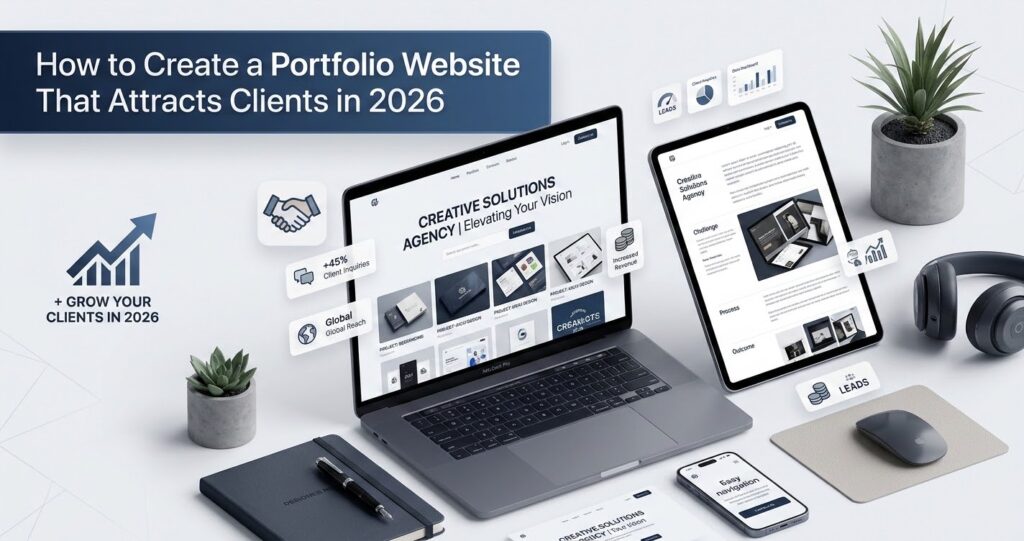
A portfolio website attracts clients when it clearly shows who you help, what you offer, and proof that your work delivers results. Choose a platform that fits your budget and skills, showcase projects as case studies rather than just images, optimize for mobile and search engines, and make contacting you effortless. The goal isn’t more visitors — it’s more inquiries from the right clients.
A portfolio website is often the first impression a potential client forms of your work. Before anyone reads your proposal or hops on a call, they’re scrolling through your projects, checking your “About” page, and deciding whether you look credible enough to trust with their budget. That decision happens in seconds, which means your portfolio website needs to do a lot of persuasive work very quickly.
This guide walks through every stage of building a portfolio website that attracts clients in 2026 — from planning and page structure to showcasing projects, choosing a platform, optimizing for search engines, and converting visitors into paying work. Whether you’re a freelancer just starting out, a student building a first eportfolio, or an established creative agency refreshing your web branding, you’ll find practical, actionable steps you can apply immediately.
What Is a Portfolio Website and Why Does It Matter in 2026?
A portfolio website is a dedicated online space where you showcase your work, explain your services, and give potential clients a way to contact you. Unlike a resume or social media profile — or a general information website — a portfolio website is entirely under your control. You decide what to show, how to present it, and what action you want visitors to take.
Good portfolio sites share one thing in common: they make it effortless for the right client to say yes. Whether you’re a graphic designer, a photographer, a developer, or an architect, the underlying goal is the same — present your best work clearly and convincingly.
How a Portfolio Website Helps You Win Clients and Build Credibility
A well-built portfolio website helps you win clients by doing three things at once: demonstrating your skills, establishing trust, and making it easy to take the next step. Potential clients use your portfolio to answer a simple question — “Can this person solve my problem?” — and every page should help answer it. A strong portfolio website also signals professionalism. Clients often assume that if you’ve invested effort into presenting your own work well, you’ll bring that same care to theirs.
Who Needs a Professional Portfolio Website?
Almost anyone who sells skills, services, or creative work benefits from having a dedicated portfolio website. The specific needs vary by profession, but the underlying goal — proving credibility and generating inquiries — stays the same.
Portfolio Websites for Freelancers and Independent Professionals
Freelancers rely on their portfolio website to replace the credibility that comes from a company brand. Without a dedicated site, freelancers depend entirely on referrals or marketplace profiles, both of which offer limited control over how they’re presented. This is true whether you’re a web designer in Toronto competing for local clients or a remote copywriter pitching to international brands.
Portfolio Websites for Graphic Designers and Web Designers
For graphic designers and web designers, the portfolio website is both a sales tool and a demonstration of skill. Visitors expect the site itself to reflect strong design sensibility, which means layout, typography, and visual hierarchy matter as much as the projects shown. Looking at strong graphic design examples before you build your own site can help you set a clear visual benchmark.
Portfolio Websites for Developers, Photographers, and Creative Agencies
Developers use portfolio websites to display technical projects, code samples, and problem-solving ability. Photographers use them to present high-resolution galleries that showcase style and range. Creative agencies use them to combine multiple disciplines — design, strategy, and production — into one cohesive brand presentation, often highlighting specialized solutions such as custom business application development services, ERP implementation & advisory services, and HR system solutions.
This category also extends further than many people expect. A tattoo portfolio, for example, follows the same structural logic as any other creative portfolio — a curated gallery of completed work, organized by style, with clear contact options. Architectural design portfolio examples often go a step further, pairing visual renders with project briefs and written case studies to communicate both aesthetic vision and technical capability. Marketing portfolio examples tend to focus on results — campaign data, audience reach, conversion improvements — alongside the creative output itself.
Portfolio Websites for Students and Early-Career Professionals
A student portfolio or eportfolio serves a slightly different purpose than a client-facing professional site. Instead of generating direct inquiries, portfolio examples for students need to demonstrate growth, range, and learning — often to hiring managers, academic reviewers, or internship coordinators. The format and platform may differ, but the principle is identical: show your best work and make it easy to understand your value.
Model portfolio examples follow similar logic. Whether physical or digital, they present a curated selection of work designed to appeal to a specific type of client or agency — clarity and visual consistency matter more than volume.
Portfolio Website vs. Social Media Profile vs. Online Marketplace
A portfolio website gives you full control over branding, structure, and calls to action. A social media profile offers visibility and discoverability but limits customization and buries your best work in a feed. An online marketplace connects you with buyers quickly but takes a commission and puts you in direct competition with similar profiles on the same page.
Choose a portfolio website if long-term credibility and web branding control matter more than immediate marketplace visibility. Use marketplaces and social platforms as supplementary channels that drive traffic back to your portfolio website.
Plan Your Portfolio Website Around the Clients You Want to Attract
Before choosing colors, templates, or platforms, define who the website is actually for. A portfolio website built for anyone tends to resonate with no one.
Define Your Target Audience, Services, and Unique Value Proposition
Start by identifying the type of client you want to attract — their industry, budget range, and the problems they typically need solved. Then clarify the specific services you offer and what makes your approach different from competitors offering similar work. This combination becomes your unique value proposition, and it should be reflected in your homepage headline, your About page, and the language used throughout your site.
Strong web branding starts here. Before you think about color palettes or typography, get your positioning right.
Choose Portfolio Projects That Match Your Ideal Clients
Once you know who you’re targeting, select projects that speak directly to that audience. A project that excites you personally isn’t always the right fit if it doesn’t align with the type of work you want more of.
How Many Projects Should You Include in a Portfolio?
Choose quality over quantity. A smaller selection of well-documented, relevant projects usually performs better than a large gallery of inconsistent work, because it keeps visitors focused on your strongest examples rather than diluting attention across weaker ones. This applies whether you’re curating art portfolio pages, marketing portfolio examples, or architectural design portfolio examples.
How to Build a Portfolio When You Have No Clients or Experience
If you don’t have paid client work yet, create your own sample projects based on realistic briefs. Redesign an existing brand, build a mock case study, or offer discounted work to a small number of early clients in exchange for permission to showcase the results. The key is demonstrating process and thinking, not just a finished image. This approach works just as well for a student portfolio or eportfolio as it does for a seasoned freelancer.
Set Clear Goals for Leads, Freelance Projects, or Job Opportunities
Decide what success looks like for your portfolio website before you build it. Are you aiming for freelance leads, full-time job offers, or both? Your goals shape which calls to action you prioritize and how you present your contact information.
What Pages Should a High-Converting Portfolio Website Include?
A high-converting portfolio website typically includes a homepage, a project gallery with individual case studies, an About page, a Services page, testimonials, and a Contact page.
Portfolio Homepage: Make Your Skills and Value Clear Immediately
Your homepage needs to answer three questions within seconds: who you are, what you do, and why a visitor should keep scrolling.
Write a Clear Headline and Add a Strong Call to Action
Your homepage headline should state what you do and who you help, avoiding vague or overly clever phrasing that requires extra thought to decode. Pair it with a direct call to action — such as “View my work” or “Book a consultation” — so visitors immediately know the next step.
Feature Your Best Work, Services, and Client Proof Above the Fold
Place your strongest project, a short services summary, and a piece of client proof — a logo, testimonial, or result — above the fold, before any scrolling is required. This gives visitors instant confidence that they’re in the right place.
Project Gallery and Individual Case Study Pages
Your project gallery should offer a quick visual overview, while individual case study pages go deeper into each project’s context, process, and outcome. This two-layer structure lets visitors browse quickly and then dive into the details that matter most to their specific needs.
If you’re building an art portfolio or showcasing architectural design portfolio examples, individual project pages give you space to walk through your creative process in depth — something a flat gallery simply can’t do.
About, Services, Testimonials, and Contact Pages
These supporting pages build the trust and clarity that convert an interested visitor into an inquiry.
What Information Should You Include on Your About Page?
Your About page should cover your background, your approach to client work, and what makes you a reliable choice — written in a way that connects your experience to the client’s needs rather than reading like a personal biography.
How to Create a Contact Form That Encourages Client Inquiries
Keep your contact form short, asking only for essential information such as name, email, project type, and budget range. Every additional field reduces the likelihood that a visitor will complete the form.
How to Showcase Your Work With Portfolio Projects and Case Studies
Projects presented as case studies do far more persuasive work than a simple image gallery, because they show your thinking, not just your output.
Turn Project Samples Into Stories That Demonstrate Your Expertise
A case study format helps potential clients understand how you work, not just what you produced. This builds confidence that you can handle their specific challenges. The best portfolio sites — across every profession — lead with context before showing the final result.
Explain the Client’s Problem, Your Process, and the Final Result
Structure each case study around three parts: the problem the client faced, the process you used to solve it, and the final result. This narrative structure makes your expertise tangible and easy to follow. Whether you’re presenting graphic design examples, marketing portfolio examples, or architectural design portfolio examples, this three-part format translates across disciplines.
Include Measurable Outcomes Without Making Unsupported Claims
Where you have real, verifiable outcomes — such as a redesign that improved usability or a campaign that increased engagement — include them. Avoid vague or exaggerated claims that can’t be backed up, since unsupported statements undermine the credibility you’re trying to build.
Organize Your Work With Clear Categories and Visual Hierarchy
Group projects by service type, industry, or project category so visitors can quickly find examples relevant to their own needs. Strong visual hierarchy — using size, spacing, and typography — guides the eye toward your most important work first.
An art portfolio or tattoo portfolio benefits especially from clear visual organization. When work is sorted by style or medium, clients find what they’re looking for faster — and are more likely to reach out.
Use Testimonials, Client Feedback, and Relevant Credentials to Build Trust
Pair your projects with testimonials, client logos, or credentials wherever possible. Third-party validation carries more weight than self-description because it comes from someone who has already experienced working with you.
Explore Great Portfolio Website Examples and Design Ideas for 2026
Looking at well-designed portfolio websites across different industries can help you identify what works before you start building your own. Studying portfolio examples for students, creative professionals, and agencies side by side reveals a consistent pattern: clarity, specificity, and an easy path to contact.
Portfolio Website Examples for Graphic Designers and Web Designers
Strong graphic design examples in this category tend to use bold typography, generous white space, and a visual style that mirrors the designer’s own aesthetic sensibility — reinforcing their skill through the site’s design itself. A web designer in Toronto, for instance, might lean into a clean, minimal layout with strong local SEO signals to attract nearby clients, while a New York-based agency might use motion and bold color to communicate a more dynamic brand.
Personal Portfolio Websites for Freelancers and Developers
Freelancers and developers often benefit from simpler, content-focused layouts that prioritize clarity over visual flourish — especially when the work itself (code, writing, or strategy) is the main selling point rather than visual design. An eportfolio for a developer or copywriter works best when it emphasizes process, outcomes, and personality over decorative elements.
What Can You Learn From the Best Portfolio Site Examples?
The best portfolio websites share a few common traits: a clear value proposition, fast load times, intuitive navigation, and an obvious path to contact the owner. Whether you’re reviewing model portfolio examples, marketing portfolio examples, or architectural design portfolio examples, these fundamentals show up consistently.
Minimalist Portfolio Designs vs. Interactive and Animated Layouts
Choose a minimalist design if your priority is clarity, speed, and broad accessibility across devices. Choose an interactive or animated layout if your work itself is visually driven and the experience of browsing your site reinforces your creative range — just be mindful that heavy animation can slow load times and frustrate visitors on mobile devices.
Portfolio Homepage Examples That Make Services and Contact Options Easy to Find
The strongest homepage examples place navigation to services and contact pages within easy reach — often in the main menu and repeated as a button near the top of the page — so visitors never have to hunt for the next step.
Choose the Right Portfolio Website Builder, Template, or Custom Design
Your platform choice should match your technical comfort, budget, and long-term goals rather than simply following what’s trending. Web building companies offer a wide range of tools, from beginner-friendly drag-and-drop editors to fully custom development services — knowing what you actually need saves time and money.
Portfolio Website Builders for Beginners and Nontechnical Users
Website builders with drag-and-drop editors and ready-made templates allow beginners to launch a professional-looking portfolio website without writing code, making them a practical starting point for most freelancers and creatives. Many web building companies now offer portfolio-specific templates designed for creatives, students, and agencies — so you don’t have to start from a blank canvas.
Custom Portfolio Website Design vs. Ready-Made Templates
A ready-made template gets you online quickly and affordably, while a custom design offers full control over branding and user experience but requires more time, budget, or technical skill. If your web branding needs to feel genuinely distinctive — as it might for a high-end creative agency or a specialist web designer in Toronto — a custom approach is usually worth the investment.
When Is a Free Portfolio Website Builder Enough?
A free portfolio website builder is enough when you’re just starting out, testing demand for your services, or need a simple site to share alongside applications and proposals — including a student portfolio or early-career eportfolio. As your client base and brand grow, you may outgrow the limitations of free plans.
When Should You Invest in Professional Website Design?
Invest in professional website designing services once your portfolio is actively generating leads and the limitations of a template — in branding, functionality, or performance — start costing you credibility or conversions. At that point, working with experienced website designers pays for itself.
How to Choose a Platform Based on Your Budget, Skills, and Growth Plans
Choose a website builder if you want speed and simplicity on a limited budget. Choose a custom-built site if you need unique functionality or a highly distinctive brand presence. Choose a hybrid approach — a customized template — if you want a balance of affordability and individuality. When evaluating web building companies, compare their portfolio-specific features, SEO tools, and template quality before committing to a platform.
Optimize Your Portfolio Website for SEO, Mobile Devices, and Accessibility
A beautifully designed portfolio website still needs to be discoverable and usable to attract clients consistently. This is where many otherwise strong portfolio sites fall short.
Use Portfolio Keywords, Descriptive Page Titles, and Search-Friendly URLs
Include relevant keywords — such as your profession, specialty, and location — naturally in your page titles, headings, and URLs so search engines understand what your site offers and who it serves. A web designer in Toronto, for example, benefits from including location-specific terms throughout the site to appear in local search results. Similarly, targeting phrases like “eportfolio,” “art portfolio,” or “marketing portfolio examples” in the right sections can help specific audiences find your work.
Improve Mobile Responsiveness, Page Speed, and Core Web Vitals
Ensure your portfolio website loads quickly and displays correctly on mobile devices, since a large share of potential clients will discover and browse your site from a phone. Slow-loading pages and poor mobile layouts drive visitors away before they ever see your work — and this is especially critical for visually rich sites like an art portfolio or tattoo portfolio, where large images need to be carefully optimized.
Optimize Project Images, Image Alt Text, and Navigation
Compress project images to improve load times without sacrificing visual quality, and add descriptive alt text to each image so search engines and screen readers can understand your content. For art portfolio pages and graphic design examples in particular, descriptive alt text also helps your images appear in Google Image Search — a meaningful source of traffic for visual creatives.
How to Help Clients Find Your Portfolio Through Google Search
Use clear, descriptive page titles and meta descriptions, build backlinks by sharing your work on relevant platforms, and keep your content updated so search engines continue to view your site as active and relevant.
How to Track Portfolio Traffic and Client Inquiries With Analytics
Install an analytics tool to monitor which pages attract the most visitors, where traffic originates, and how many visitors complete your contact form. This data helps you refine your content and calls to action over time.
How to Turn Portfolio Website Visitors Into Paying Clients
Attracting visitors is only half the goal — your portfolio website also needs to convert that attention into actual client relationships.
Make Your Services, Pricing Approach, and Next Steps Clear
Clearly describe the services you offer and, where appropriate, your general pricing approach or process for providing quotes. Ambiguity about what you offer or how to get started creates unnecessary friction for potential clients. Good portfolio sites don’t leave visitors guessing about what happens after they’ve seen your work.
Place Relevant Calls to Action Throughout Your Portfolio
Don’t limit calls to action to your homepage and contact page. Add relevant prompts — such as “Interested in a project like this?” — at the end of case studies and service descriptions, where interest is naturally highest.
Reduce Friction With Simple Inquiry Forms and Clear Project Information
The easier you make it to reach out, the more inquiries you’ll receive. Simplify your forms, clarify your process, and avoid requiring visitors to dig for basic information like turnaround time or availability.
What Should a Portfolio Website Contact Form Ask Potential Clients?
A good contact form asks for the client’s name, email, a brief project description, and budget or timeline expectations — enough information to qualify the lead without overwhelming the visitor.
How to Build Trust When You Have Limited Testimonials or Client Results
If you don’t yet have many testimonials, highlight your process, education, relevant credentials, or detailed case studies instead. Offering a short discovery call or transparent pricing can also help reduce a new client’s perceived risk. Portfolio examples for students and early-career professionals often use this approach effectively — leading with process and potential rather than an extensive track record.
How Much Does a Portfolio Website Cost, and How Long Does It Take to Build?
Costs and timelines vary widely depending on the platform, complexity, and whether you build the site yourself or hire professional website designers.
Portfolio Website Costs: Free Builders, Paid Platforms, and Custom Development
Free website builders typically cost nothing beyond your time, though they often include limited features or branding you can’t remove. Paid platforms — offered by most web building companies — usually charge a monthly or annual subscription in exchange for more customization, storage, and professional features. Custom development costs the most but offers the highest degree of control and uniqueness, making it the right choice when your web branding needs to stand out at a high level.
Factors That Affect Portfolio Website Design and Development Costs
Key cost factors include the number of pages, the complexity of the design, whether you need custom functionality, and whether you hire website designers or build the site yourself. Organizations in regulated fields may also require specialized technical oversight, such as IT audit, controls & training services or healthcare IT compliance & assurance services, which adds to overall scope and technical considerations.
How Long Does It Take to Build and Launch a Portfolio Website?
A simple portfolio website built on a template can often be launched within a few days to a couple of weeks. A custom-designed site with original branding and functionality typically takes longer, depending on the scope of work and how quickly content and projects are finalized. Working with experienced website designers can speed up the process, but only if your content — project images, case study copy, and service descriptions — is ready to hand over.
Common Portfolio Website Mistakes That Can Cost You Clients
Even well-intentioned portfolio websites can quietly push potential clients away through avoidable mistakes.
Showing Too Much Work Without Explaining Its Value
A large gallery of unexplained images forces visitors to guess at your process and impact. Without context, even strong work can fail to make an impression. This is one of the most common errors across art portfolio pages, graphic design examples, and architectural design portfolio examples alike — beautiful images without any narrative behind them.
Using Generic Copy, Outdated Projects, or Unclear Service Descriptions
Vague language and outdated examples suggest a lack of current activity or attention to detail — two things clients actively look to avoid when choosing who to hire. Your portfolio isn’t just a gallery; it’s an information website that needs to answer real questions clearly and confidently.
Ignoring Mobile Usability, Website Speed, SEO, and Accessibility
A portfolio website that loads slowly, displays poorly on mobile, or is difficult for search engines to index will lose potential clients before they ever see your work. This applies equally to a tattoo portfolio packed with high-res images and a minimalist student portfolio with just a few projects.
Making It Difficult for Potential Clients to Contact You
Hidden contact information, overly long forms, or missing calls to action create unnecessary obstacles between an interested visitor and a potential project.
Frequently Asked Questions About Creating a Portfolio Website
How Do You Create a Portfolio Website Step by Step?
Define your target audience and goals, choose a platform that fits your skills and budget, select projects that align with your ideal clients, build out your core pages — homepage, portfolio, about, services, and contact — and then optimize the site for mobile devices and search engines before launching. If you’re building a student portfolio or eportfolio, the same process applies, with an added focus on showcasing academic projects and learning outcomes.
What Should a Good Portfolio Website Include?
A good portfolio website should include a clear homepage headline, a project gallery with detailed case studies, an About page, a Services page, client testimonials, and an easy-to-use contact form. Whether it’s a marketing portfolio, an art portfolio, or an architectural design portfolio, these core elements remain consistent.
Can You Create a Portfolio Website for Free?
Yes, many web building companies offer free plans that let you launch a basic portfolio website without any upfront cost, though these plans often come with limited customization and visible platform branding. For a student portfolio or early eportfolio, a free plan is usually sufficient.
Is a Portfolio Website Better Than Behance, Dribbble, or LinkedIn?
A portfolio website gives you full control over branding, structure, and calls to action, while platforms like Behance, Dribbble, and LinkedIn offer built-in discoverability but limit customization. Choose a portfolio website if long-term web branding and brand control matters most, and use other platforms to drive additional traffic to it.
How Do You Make a Portfolio Website Stand Out From Competitors?
Focus on a clear, specific value proposition, present your best work as detailed case studies rather than plain images, and make sure your site’s design and copy reflect the same quality clients can expect from working with you. Studying good portfolio sites across your niche — whether that’s graphic design examples, model portfolio examples, or architectural design portfolio examples — can reveal patterns worth adapting.
Do Portfolio Websites Need SEO to Attract Clients?
SEO helps potential clients find your portfolio website through search engines rather than relying solely on referrals or social media. Basic SEO practices — like descriptive titles, optimized images, and fast load times — make a meaningful difference in discoverability over time. For local professionals like a web designer in Toronto, location-based SEO can be especially effective.
Should You Hire a Professional Portfolio Website Designer?
Hire professional website designers if your current site isn’t generating the leads or impression you need, or if you require custom functionality and branding beyond what templates offer. If you’re just starting out or working with a limited budget, a well-built template from a reputable web building company is often sufficient.
Build a Portfolio Website That Makes It Easier for Clients to Choose You
A portfolio website works best when it removes friction between a potential client and the decision to hire you. That means clear messaging, relevant project examples, strong web branding, straightforward navigation, and a contact process that doesn’t require effort to find.
Start with the fundamentals covered here — define your audience, build out your core pages, showcase your work as case studies, and optimize for search and mobile. Whether you’re a student building your first eportfolio, an artist curating your art portfolio pages, a tattoo artist organizing your tattoo portfolio, or an established agency refreshing your web presence, the principles are the same. Refine the details as you learn what resonates with the clients you want to attract, and keep revisiting good portfolio sites in your field for ongoing inspiration.