HR System and Its Importance for Business Growth in 2026
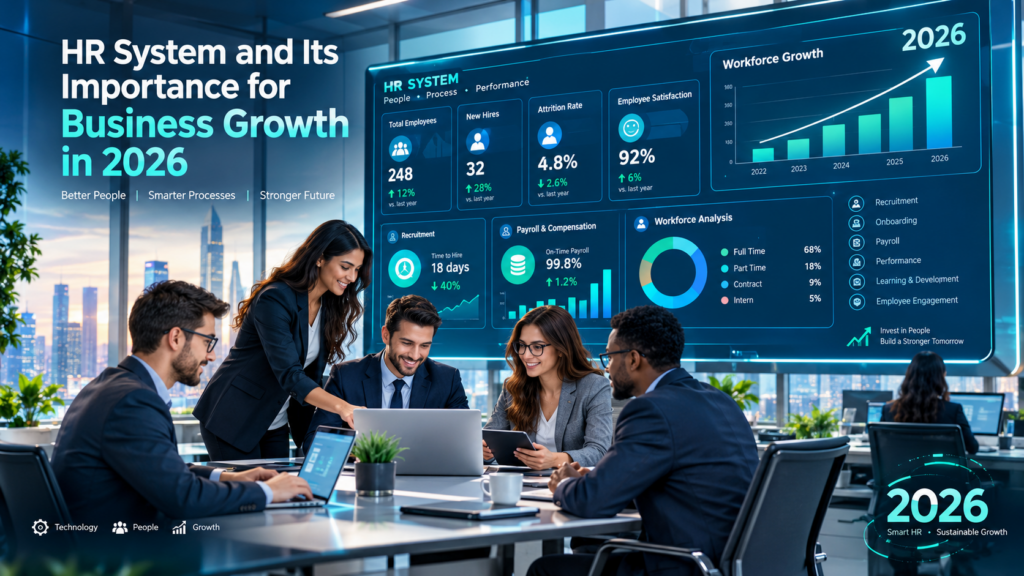
Growth looks good on paper. Behind the scenes, it often means more spreadsheets, more payroll questions, and more onboarding paperwork for a small team to handle. An HR system fixes this by giving you one place to manage people data, automate routine tasks, and plan for the workforce you’ll need next.
This guide explains how HR systems work, why they matter in 2026, and how to choose and measure the right one.
Looking to streamline your HR operations? Explore our HR system solutions to simplify employee management and support business growth.
What you’ll learn:
- What an HR system is, including what HRIS stands for and how it compares to HRMS and HCM
- Which features matter most as your business grows
- How HR technology improves productivity, compliance, and retention
- How to calculate the return on investment (ROI) of HR software
1. What Is an HR System and How Does It Work?
An HR system is software that stores employee information and automates people-related processes, from hiring to payroll to performance reviews. Before comparing types or features, it helps to start with the basic terms.
What Does HR Stand For in Business Management?
HR stands for human resources. It refers to the people who work for an organization and the department that manages the employee relationship.
HR teams handle recruitment, onboarding, payroll coordination, benefits, compliance, training, employee relations, and offboarding. As a company grows, each of these tasks gets larger. That growth is usually what pushes businesses to adopt better tools.
What Is an HR System in Simple Terms?
An HR system is a digital hub for everything related to your employees. It replaces scattered spreadsheets, paper files, and email threads with one organized platform.
Here’s a simple example. A new hire joins a 40-person marketing agency. Without an HR system, the office manager emails a contract, prints tax forms, adds the hire to a payroll spreadsheet, and sets a calendar reminder for a 90-day review. With an HR system, the new hire signs documents online, enters personal details once, and joins payroll automatically. The review reminder is created on its own.
Some vendors and IT teams use the phrase “HR IS system,” short for HR information system. All of these terms describe the same idea: technology that organizes and automates HR work.
What Is HRIS and What Does the Acronym Stand For?
People often search for what HRIS stands for or ask, “what does HRIS mean?” The HRIS acronym stands for Human Resource Information System.
To define HRIS system clearly: it’s software that collects, stores, and manages employee data, such as personal details, job history, compensation, and time off. The HRIS abbreviation is common in job postings, vendor websites, and HR certifications.
You may also see employers ask for candidates with HRIS experience. If you’re wondering what is HRIS experience, it means hands-on skill with these platforms, such as:
- Entering and updating employee records
- Running reports on headcount, turnover, or payroll
- Configuring workflows for onboarding or time-off approvals
- Troubleshooting data errors and supporting employee users
What Is a Human Resource Management Information System?
A human resource management information system is a broader way to describe the HRIS concept. It combines data management with tools that support HR decisions and daily operations.
In practice, the terms overlap heavily. The key point is that the system doesn’t just store information. It also turns that information into workflows, reports, and insights.
What Is the Purpose of an HRIS System?
The core HRIS purpose is to create a single, accurate source of employee data. When everyone pulls from the same records, mistakes drop and decisions get faster.
An HRIS typically helps businesses:
- Centralize records so information isn’t spread across files and inboxes
- Reduce manual data entry through automation and self-service
- Support compliance with secure storage and audit trails
- Improve reporting on headcount, labor costs, and turnover
What this means for you: if your team regularly asks, “Which file is current?” you’ve already found the problem an HRIS solves.
What Is the Difference Between HRIS, HRMS and HCM?
These three terms describe overlapping categories with different scopes. Think of them as layers that build on each other.
| System | Full Name | Main Focus | Best For |
| HRIS | Human Resource Information System | Employee data, records, basic reporting | Small businesses with simple needs |
| HRMS | Human Resource Management System | HRIS features plus payroll, time, attendance, benefits | Growing businesses managing daily operations |
| HCM | Human Capital Management | HRMS features plus talent, performance, workforce planning | Mid-size and larger organizations focused on strategy |
Vendors don’t always use these labels the same way. So compare actual features instead of relying on the category name.
How Does an HR System Work in a Modern Business?
A modern HR system works as a connected platform. Data entered in one place updates related records and processes automatically.
Most platforms today run in the cloud. Employees, managers, and HR staff can log in from a browser or mobile app, with each person seeing only what their role allows.
How Does an HR System Store and Manage Employee Information?
Each employee has a digital profile. It holds personal details, job title, reporting line, compensation, tax information, emergency contacts, certifications, and documents.
Access is controlled by permissions. For example, a manager can see a direct report’s time-off balance but not their salary history or medical notes. The system also logs who changed what and when, which supports audits and internal accountability.
How Do HR Systems Connect Payroll, Recruitment and Employee Records?
Integration is where the real value appears. Here’s how data typically flows through connected HR systems and processes:
- A candidate applies through the recruitment module.
- Once hired, their application data becomes an employee profile, with no re-typing needed.
- Salary and tax details feed directly into payroll.
- Approved timesheets and leave requests adjust pay automatically.
- Performance and training records attach to the same profile over time.
The takeaway: one connected system removes the handoffs where errors usually happen.
2. Why Is an HR System Important for Business Growth in 2026?
An HR system matters in 2026 because businesses are expected to do more with lean teams, manage hybrid and remote staff, and meet growing data privacy expectations. Manual HR methods struggle under all three pressures.
How HR Systems Help Businesses Scale Operations
Scaling means adding people without adding the same amount of administrative work. An HR system makes that possible.
How Can Automation Reduce Manual HR Work?
Automation handles repetitive tasks that follow predictable rules. Common examples include:
- Sending offer letters and onboarding checklists
- Routing time-off requests to the right manager
- Calculating overtime and leave accruals
- Reminding employees about expiring certifications
- Generating monthly headcount and payroll reports
Consider a 60-person logistics company that processes leave requests by email. Each request might take 10 minutes to track down, approve, and record. Automated workflows cut that to a click and remove the need to update a separate tracker.
How Can an HR System Support a Growing Workforce?
Growth adds complexity: new locations, new roles, different pay rules, and more managers. A scalable HR system handles this through configurable workflows, multi-location settings, and role-based access.
Instead of rebuilding processes every time you hire 20 more people, you adjust settings. What this means for you: your HR team grows more slowly than your headcount.
How HR Software Systems Improve Business Productivity
HR software systems improve productivity by freeing time for higher-value work. They also cut the friction employees face when they need simple answers.
How Can Businesses Reduce Administrative Costs and Errors?
Manual data entry creates mistakes, and payroll mistakes are expensive. They cost time to fix and can damage employee trust.
An HR system reduces errors by:
- Capturing data once and reusing it across modules
- Validating fields, such as flagging a missing tax ID
- Applying pay rules automatically
- Keeping a full change history for quick corrections
Watch for this: automation only works when the setup is right. Review pay rules and approval workflows carefully during implementation.
How Does Centralized Employee Data Improve Decision-Making?
When data lives in one place, leaders can answer key questions quickly. How many people did we hire last quarter? Which department has the highest overtime costs? Where is turnover rising?
Without centralized data, those answers take days of spreadsheet work. With it, they’re available in a dashboard.
The Role of HR Technology in Business Competitiveness
Talent is a competitive advantage. Businesses that hire faster, onboard smoothly, and keep good people tend to outperform those that don’t.
How Can HR Analytics Help Businesses Plan for Growth?
HR analytics turns workforce data into forward-looking insight. For example, a retail chain might notice that store turnover spikes three months after hire. That points to an onboarding or scheduling problem it can fix before peak season.
Analytics can also help you:
- Forecast hiring needs based on growth targets
- Estimate future labor costs
- Spot flight risks through engagement and tenure trends
- Identify skills you’ll need to build or hire
The takeaway: in 2026, HR technology isn’t just back-office support. It’s a planning tool.
3. What Are the Main Types of HR Systems Businesses Use?
Businesses generally choose among three types of HR systems, along with a deployment model. The right choice depends on your size, complexity, and growth plans.
Human Resource Information Systems (HRIS)
An HRIS focuses on employee data management and core reporting. It’s the foundation of most HR technology.
When Does a Business Need a Basic HRIS?
A basic HRIS is often the right first step when:
- You have roughly 15 to 100 employees
- Employee records live in spreadsheets or paper files
- You need better reporting but already have a payroll provider
- You want employee self-service without a large investment
Some providers also offer HRIS services, such as setup, data migration, and ongoing support. These can help small teams without in-house HR technology skills.
Human Resource Management Systems (HRMS)
An HRMS builds on the HRIS foundation. It adds the operational tools needed to run HR every day.
How Does an HRMS Manage Payroll, Attendance and Employee Benefits?
An HRMS connects time tracking, payroll, and benefits so they work together. When an employee clocks in through a mobile app, hours flow into payroll. When they enroll in a health plan, deductions update automatically.
For example, a manufacturing company with shift workers can use an HRMS to track attendance, apply shift differentials, and process payroll in one place. That removes the need to reconcile three separate systems.
Human Capital Management (HCM) Platforms
HCM platforms take the widest view. They treat employees as assets to develop, not just records to maintain.
How Do HCM Systems Support Talent Development and Workforce Planning?
HCM platforms add strategic tools such as:
- Performance management: goals, reviews, and continuous feedback
- Learning management: training courses and certification tracking
- Succession planning: identifying future leaders
- Workforce planning: modeling headcount and budget scenarios
A growing tech company might use HCM tools to map which engineers are ready for team-lead roles, then assign leadership training before new managers are needed.
Cloud-Based HR Systems vs. On-Premise Solutions
Deployment refers to where the software runs. Cloud systems are hosted by the vendor, while on-premise systems run on your own servers.
| Factor | Cloud-Based | On-Premise |
| Upfront cost | Low (subscription) | High (licenses, hardware) |
| Maintenance | Handled by vendor | Handled by your IT team |
| Updates | Automatic | Manual |
| Remote access | Built-in | Requires extra setup |
| Customization | Moderate | High |
Which HR System Deployment Model Is Better for a Growing Business?
For most growing businesses, cloud-based HR management systems are the better fit. They cost less upfront, scale easily, and support remote and hybrid teams.
On-premise solutions still make sense for organizations with strict data residency rules or highly customized needs. For small and mid-sized businesses, though, the cloud is usually the practical choice.
4. What Are the Essential Features of an Effective HR Management System?
An effective HR management system covers the full employee lifecycle and connects each stage. Use the features below as a checklist when evaluating vendors.
Employee Database and Document Management
The employee database is the backbone of any HR system. Everything else depends on it.
How Can a Centralized Employee Database Improve HR Accuracy?
A centralized database means one version of the truth. When an employee updates their address, payroll, benefits, and tax records all reflect the change.
Document management adds secure storage for contracts, policies, and certifications. Look for features like e-signatures, expiry alerts, and version control.
Recruitment, Hiring and Employee Onboarding
Recruitment tools help you attract and select candidates. Onboarding tools help new hires become productive faster.
How Can HR Software Streamline the Employee Lifecycle?
Strong human resource management system software connects every lifecycle stage:
- Attract: post jobs to multiple boards from one place
- Hire: track candidates, schedule interviews, and send offers
- Onboard: assign tasks, collect documents, and set up equipment requests
- Develop: set goals and assign training
- Retain: run engagement surveys and recognition programs
- Offboard: manage exit interviews, final pay, and access removal
When each stage feeds the next, nothing gets lost between departments.
Make your recruitment and employer-branding materials more consistent with our professional graphic designing services, tailored to your business identity.
Payroll, Time Tracking and Attendance Management
Payroll accuracy is non-negotiable. Time tracking and attendance tools ensure payroll starts with correct data.
Can an HR System Integrate With Existing Payroll Software?
Yes, most modern HR systems integrate with popular payroll providers through built-in connectors or APIs. Others include native payroll.
Before choosing, confirm:
- Whether the integration syncs both ways or one way
- How often data syncs (real time or scheduled)
- Which fields transfer, such as hours, deductions, and new hires
- Whether there’s an extra cost for the connector
Planning to connect HR with your wider business operations? Explore our ERP implementation and advisory services to help align business systems and workflows.
Performance Management, Training and Employee Development
Development features help employees grow and help managers coach effectively.
How Can HR Tools Track Employee Goals and Skills?
HR tools let employees and managers set measurable goals, track progress, and log feedback throughout the year. Skills profiles record certifications, competencies, and completed training.
For example, a healthcare clinic can track nursing certifications and get alerts 60 days before renewal. That prevents compliance gaps and last-minute scheduling problems.
Healthcare organizations need reliable systems and strong data protection practices. Learn how our healthcare IT compliance and assurance services can help support technology governance and compliance needs.
HR Reporting, Analytics and AI-Powered Automation
Reporting shows what happened. Analytics explains why and helps predict what’s next.
How Can Workforce Analytics Support Better Business Decisions?
Workforce analytics helps leaders make decisions based on evidence rather than assumptions. Common uses include:
- Comparing labor costs across teams or locations
- Tracking time-to-hire and cost-per-hire
- Analyzing turnover by manager, role, or tenure
- Measuring training completion against performance outcomes
AI features are increasingly common in 2026. These include drafting job descriptions, answering employee policy questions through chatbots, and flagging unusual payroll changes. Watch for this: always review AI outputs, especially for hiring decisions, to avoid bias and protect fairness.
5. How Do HR Systems and Processes Improve Employee Productivity?
Well-designed HR systems and processes improve productivity for HR teams, managers, and employees alike. Each group spends less time on admin and more time on meaningful work.
Automating Repetitive Human Resources Tasks
Automation delivers the fastest productivity gains. It removes the low-value tasks that eat up hours every week.
Which HR Processes Should Businesses Automate First?
Improving Employee Experience Through Self-Service Tools
Self-service lets employees find answers and complete tasks without waiting on HR. It’s convenient for staff and reduces interruptions for HR teams.
A user-friendly digital experience makes information easier to access. Explore our website designing services to create a professional online experience for your business.
How Can Employees Manage Leave, Documents and Personal Information?
Start with high-volume, rule-based tasks that cause frequent errors:
- Time-off requests and approvals
- Timesheet collection and payroll data entry
- New hire onboarding paperwork
- Benefits enrollment
- Compliance and certification reminders
These processes affect nearly every employee, so even small time savings add up fast.
Need software tailored to your unique workflows? Discover our custom business application development services to build solutions around your operational needs.
Through an employee portal or mobile app, staff can:
- Request time off and check leave balances
- Download pay stubs and tax forms
- Update addresses, banking details, and emergency contacts
- Access company policies and handbooks
- Enroll in benefits during open enrollment
What this means for you: fewer “quick questions” in HR’s inbox and faster answers for employees.
Strengthening Performance Reviews and Employee Engagement
HR systems make performance conversations more consistent and less stressful. Continuous feedback replaces the once-a-year scramble.
How Can HR Systems Help Identify Skills Gaps and Training Needs?
By comparing current employee skills against role requirements, HR systems highlight gaps. Managers can then assign targeted training instead of generic courses.
For instance, a finance team adopting new accounting software can quickly see who has completed training and who needs support. That helps the rollout move faster.
Supporting Managers With Real-Time Workforce Information
Managers make better decisions when they can see live data about their teams. Dashboards show who’s working, who’s on leave, and where coverage is thin.
How Can Better Workforce Scheduling Reduce Operational Disruption?
Scheduling tools match staffing to demand. They factor in availability, approved leave, skills, and labor rules.
A restaurant group, for example, can spot a weekend shortage days in advance and offer open shifts to qualified staff through the app. That avoids last-minute scrambling and overtime costs.
The takeaway: productivity improves when everyone has the right information at the right time.
6. What Are the Biggest Benefits of an HR System for Small and Medium-Sized Businesses?
Small and medium-sized businesses often gain the most from an HR system because they have the fewest people to absorb administrative work. The benefits below show where the value appears.
Lower Administrative Costs and Better Resource Allocation
Every hour spent on manual paperwork is an hour not spent on hiring, coaching, or culture. An HR system shifts that time toward strategic work.
For a small business owner who handles HR personally, this can mean reclaiming several hours each week to focus on customers and growth.
More Accurate Employee Records and Payroll Processes
Accurate records protect both the business and its employees. Automated calculations and validated data reduce costly payroll corrections and the frustration they cause.
Improved Recruitment, Onboarding and Employee Retention
A smooth hiring and onboarding experience shapes how new employees feel about your company from day one. Structured onboarding helps people get up to speed faster and feel supported, which encourages them to stay.
Retention matters because replacing an employee is expensive. Recruiting, training, and lost productivity all add up.
Better HR Compliance and Employee Data Security
Compliance gets harder as you grow. An HR system helps you store records properly, track required documents, and control who can see sensitive information.
How Can an HR System Help Canadian Businesses Manage Employee Records?
Canadian businesses must follow federal and provincial rules on employee records. For example, the Canada Revenue Agency generally requires payroll records to be kept for six years from the end of the year they relate to. Provincial employment standards also set their own record-keeping requirements.
An HR system helps by:
- Storing records securely with clear retention schedules
- Tracking hours, vacation, and statutory holiday pay
- Keeping documents organized for audits or employee requests
- Supporting multi-province rules for businesses with staff across Canada
Requirements vary by province and industry, so confirm details with a qualified advisor.
What Should Businesses Know About Employee Data Privacy?
Employee data is sensitive. It includes banking details, government ID numbers, and sometimes health information.
In Canada, privacy obligations can come from federal law, such as PIPEDA for federally regulated employers, and from provincial laws in places like Quebec, Alberta, and British Columbia. Wherever you operate, look for an HR system with:
- Role-based access controls
- Data encryption in transit and at rest
- Audit logs of data access and changes
- Clear information on where data is stored
- Strong vendor security certifications
Strengthen your technology controls and identify potential security gaps with our IT audit, controls, and training services.
Scalable HR Operations as the Business Expands
The right HR system grows with you. You can add modules, users, and locations as needed, without switching platforms every few years.
The takeaway: for small and medium-sized businesses, an HR system is less about technology and more about building a foundation for growth.
7. How Can Businesses Measure the ROI of an HR System?
Measuring ROI shows whether your HR system delivers real value. It also helps justify future investments and spot areas for improvement.
Key HR Metrics to Track After Implementation
Set a baseline before launch so you can compare results afterward. Track these metrics at 3, 6, and 12 months.
How Do You Measure Time Saved Through HR Automation?
Start by timing your current processes. Then compare after automation.
- List key tasks, such as onboarding, payroll prep, and leave approvals.
- Estimate the hours each task takes per week or month.
- Measure the same tasks after implementation.
- Multiply the hours saved by the average hourly cost of the staff involved.
For example, if payroll prep drops from 8 hours to 2 hours every two weeks, you save about 156 hours a year.
How Can Businesses Track Employee Turnover and Retention?
Use this standard formula:
Turnover rate = (Number of employees who left ÷ Average number of employees) × 100
Track turnover by department, manager, and tenure. If early turnover drops after you introduce structured onboarding, that’s a measurable win.
Calculating HR Software Costs vs. Business Benefits
A complete ROI calculation includes all costs, not just the subscription.
Costs to include:
- Subscription or licensing fees
- Implementation and data migration
- Training time
- Integrations and add-ons
- Ongoing admin time
Benefits to include:
- Hours saved on manual tasks
- Fewer payroll errors and corrections
- Lower turnover and hiring costs
- Reduced compliance risk
- Faster time-to-hire
How Can Businesses Estimate the Return on HR Technology Investment?
Use this formula:
ROI = (Total benefits − Total costs) ÷ Total costs × 100
Here’s a simple example for a 50-person business:
- HR automation saves 10 hours per week at $35 per hour: $18,200 per year
- Software costs $8 per employee per month: $4,800 per year
- One-time implementation: $3,000
- Total first-year cost: $7,800
ROI = ($18,200 − $7,800) ÷ $7,800 × 100 = about 133%
This example only counts time savings. Reduced turnover and fewer payroll errors would raise the return further.
Measuring Productivity, Recruitment Efficiency and Payroll Accuracy
Beyond time and turnover, track these indicators:
- Time-to-hire: days from job posting to accepted offer
- Cost-per-hire: total recruiting spend divided by hires
- Payroll error rate: corrections per pay run
- Self-service adoption: share of requests handled without HR
- Training completion rate: courses finished on schedule
Common Signs Your Existing HR Processes Are Limiting Growth
Your current approach may be holding you back if you notice:
- HR data lives in multiple spreadsheets that don’t match
- Payroll corrections happen almost every pay cycle
- Onboarding takes weeks and feels different for every hire
- Managers can’t get basic workforce reports without help
- Employees constantly ask HR for pay stubs or leave balances
- You worry about how securely employee data is stored
If several of these sound familiar, it’s time to explore HR software.
Frequently Asked Questions
What is an HR system, and how does it work?
An HR system is software that stores employee data and automates HR tasks like hiring, payroll, time tracking, and performance reviews. It works by keeping one central employee profile that connects to every module. When data changes in one place, it updates everywhere.
Why is an HR system important for business growth in 2026?
Businesses in 2026 face lean teams, hybrid work, and rising privacy expectations. An HR system helps you scale without adding the same amount of admin work, and it gives leaders real-time data for planning.
What are the key benefits of an HR management system?
Key benefits include lower administrative costs, more accurate payroll, faster hiring, stronger compliance, better data security, and useful workforce insights. Employees also gain self-service access to their own information.
How does HR software improve employee productivity?
HR software automates repetitive tasks, gives employees self-service tools, and provides managers with real-time data. Everyone spends less time on paperwork and more time on meaningful work.
What features should a modern HR system include?
A modern HR system should include an employee database, document management, recruitment and onboarding, payroll and time tracking, performance and training tools, self-service, reporting and analytics, and strong security controls.
How can HR automation reduce business costs?
Automation cuts the hours spent on manual tasks, reduces costly payroll errors, and speeds up hiring. It can also improve retention through better onboarding, which lowers replacement costs.
Is HR software necessary for small businesses?
It’s not legally required, but it’s highly valuable once you reach about 15 to 20 employees. At that point, manual methods start causing errors and eating into time the owner or manager could spend on growth.
How much does an HR system cost in 2026?
Costs vary widely. Basic cloud-based HRIS tools often start at a few dollars per employee per month, while full HCM platforms can cost considerably more. Some vendors also charge implementation fees. Always request a detailed quote that includes setup, add-ons, and support.
How do you choose the right HR system for your business?
Start by listing your biggest HR pain points and must-have features. Then:
- Set a realistic budget, including setup costs.
- Shortlist vendors that fit your size and industry.
- Check integrations with your payroll and accounting tools.
- Request demos and free trials.
- Ask about security, data storage, and customer support.
- Talk to references from similar businesses.
How can businesses measure the ROI of HR software?
Compare total benefits to total costs using this formula: (Benefits − Costs) ÷ Costs × 100. Benefits include time saved, fewer errors, lower turnover, and faster hiring. Set baseline metrics before launch and review them regularly afterward.
Conclusion: Build Your Growth on a Stronger HR Foundation
An HR system is no longer a luxury for large enterprises. It’s a practical tool that helps businesses of every size manage people, reduce errors, and plan for growth.
Key points to remember:
- HRIS, HRMS, and HCM platforms serve different needs, so match the system to your size and goals.
- Automation and self-service deliver the fastest productivity gains.
- Centralized data improves compliance, security, and decision-making.
- ROI is measurable, and returns often exceed costs within the first year.
Your next steps: review the warning signs above and note which ones apply to your business. Then document your current HR processes, set baseline metrics, and book demos with two or three vendors. A clear plan today will make your next stage of growth far easier to manage.